 K7
K7 K7d
K7dIf you already installed k7 previously, consider running
make uninstall before reinstalling to avoid stale cached files in a previous .deb.Requirements
- Ubuntu host with hardware virtualization (KVM)
- Check:
ls /dev/kvmshould exist kfdandkql: amd64 or arm64.k7dandk7d-fcare amd64 / x86_64 only.- Cloud guidance: AWS
.metal, GCP (enable nested virtualization), Azure D/Ev series; typical VPS often lack KVM. Hetzner: Robot dedicated only (not Cloud VPS).
- Check:
- For the
kfd(Firecracker) backend: one raw, unformatted disk for the LVM thin-pool.kql,k7d, andk7d-fcdo not need a spare disk. - Docker (the install playbook builds the
k7-api:localimage on the node). Compose is not required to run the API — it is a K3s Deployment.- Install Docker:
curl -fsSL https://get.docker.com | sh
- Install Docker:
- Ansible for the installer (Ubuntu):
- Python 3.10+ on the client for the SDK
Tested setup: Hetzner Robot dedicated, Ubuntu 24.04, with a spare raw NVMe for the
kfd thin-pool. Dual-NVMe boxes (no third drive): put Ubuntu on one disk (SWRAID 0) and leave the other raw — see Hetzner node setup. Do not pin --disk /dev/nvme1n1: NVMe names swap across reboots; the playbook auto-detects the empty non-root disk.Install the CLI
The Launchpad PPA publishes 0.4.0 (k7 -V after install). PyPI k7-sdk is the same version.
Install K7 on your node(s)
k7 install builds the k7-api:local image from the current working directory. Clone the matching tag and run the installer from that checkout (Ansible + Docker are required — see Requirements above):
--backend is required (no silent default). kfd needs a spare raw disk; kql uses Longhorn on the OS disk; k7d is the warm-fork daemon; k7d-fc adds jailed Firecracker (0.4.0 copies Firecracker v1.16.2 from the repo root). The playbook pins k7d 0.7.0.
That installs and wires up Kubernetes (K3s), Cilium, Kata, Firecracker + Jailer + thin-pool (kfd), QEMU + Longhorn (kql), and the k7d daemon + RuntimeClass k7 (k7d). It also deploys the k7-api over HTTPS with a cluster CA. Pass -v for verbose output. Two-node / HA inventories: Multi-node clusters; install-time security knobs (--api-allow-cidr, --api-hostname, --hubble): CLI reference. To install a k7d tarball you built yourself instead of GitHub v0.7.0, pass --k7d-artifact /path/to/k7d-v0.7.0-x86_64-linux.tar.gz.

You should see “Installation completed successfully!” when done. Add
-v for verbose output.The API and managing keys
k7 install deploys the K7 API automatically as a k7-api Deployment in
kube-system. K3s keeps it running and reschedules it on failure — there’s
no separate “start” step. If you want a CLI-only install with no API
deployed, pass --no-api to k7 install.
Check API status
On a cluster node (needskubectl / k3s kubectl):
k7 config set, the same command probes GET /health on the configured URL instead of crashing. Replica counts still need kubectl on the node.
Get the endpoint
/etc/k7/api_endpoint. From a laptop it prints the URL you configured.
Trust the cluster CA from your laptop
The default install serves the API over HTTPS with a certificate signed by a cluster CA the playbook minted (Let’s Encrypt cannot issue for a bare IP). Copy the CA off the node once and point the CLI at it:--api-hostname k7.example.com, the certificate is publicly trusted and api.ca is unnecessary. On the node itself the CLI finds /etc/k7/api_endpoint and /etc/k7/tls/ca.crt automatically; you still have to k7 config set api.key with the token generate-api-key printed.
Generate an API key
-n keep unrestricted access (backward compatible).
Save the printed key. k7 generate-api-key stores only a hash in /etc/k7/api_keys.json — the raw token is shown once and is not auto-loaded on the node. Point the CLI at it (laptop or node):

Temporarily disable / re-enable the API
- API keys are stored at
/etc/k7/api_keys.jsonon the cluster node. Authentication accepts theX-API-Keyheader orAuthorization: Bearer <token>. - The previous top-level commands
k7 start-api/k7 stop-api/k7 api-status/k7 get-api-endpointare deprecated; they still work for one release and emit a deprecation warning pointing at the new home.
Create your first sandbox via CLI
Examplek7.yaml:
cpu: 100m / memory: 128Mi. Kata Firecracker refuses hypervisor memory below 256Mi (io.katacontainers.config.hypervisor.default_memory) and the pod stays ContainerCreating until create times out. Use at least 1Gi (or omit limits).
Create a sandbox
CLI
k7 create with no --egress / --egress-open blocks all egress. An API/YAML request that omits egress_whitelist leaves egress open. Use --egress-open or omit the field in YAML when you want the internet.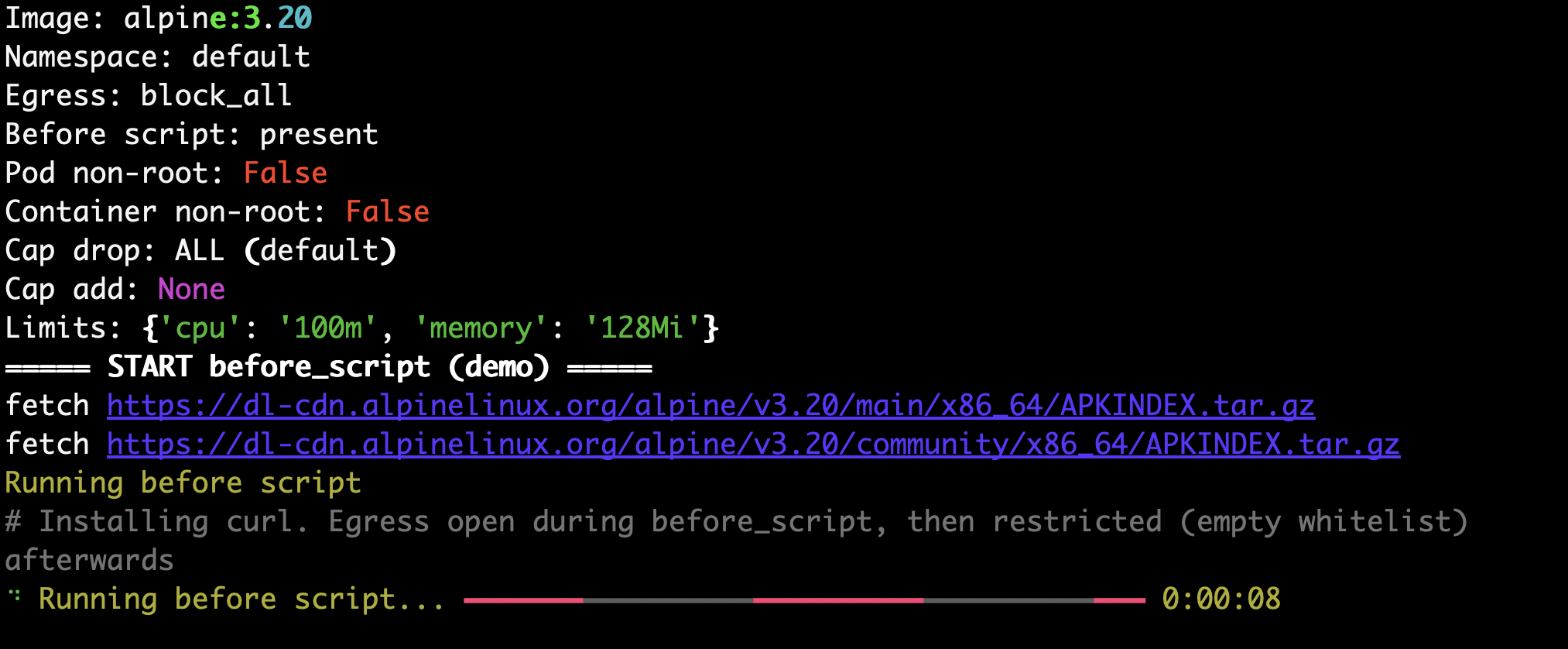
Shell into your sandbox

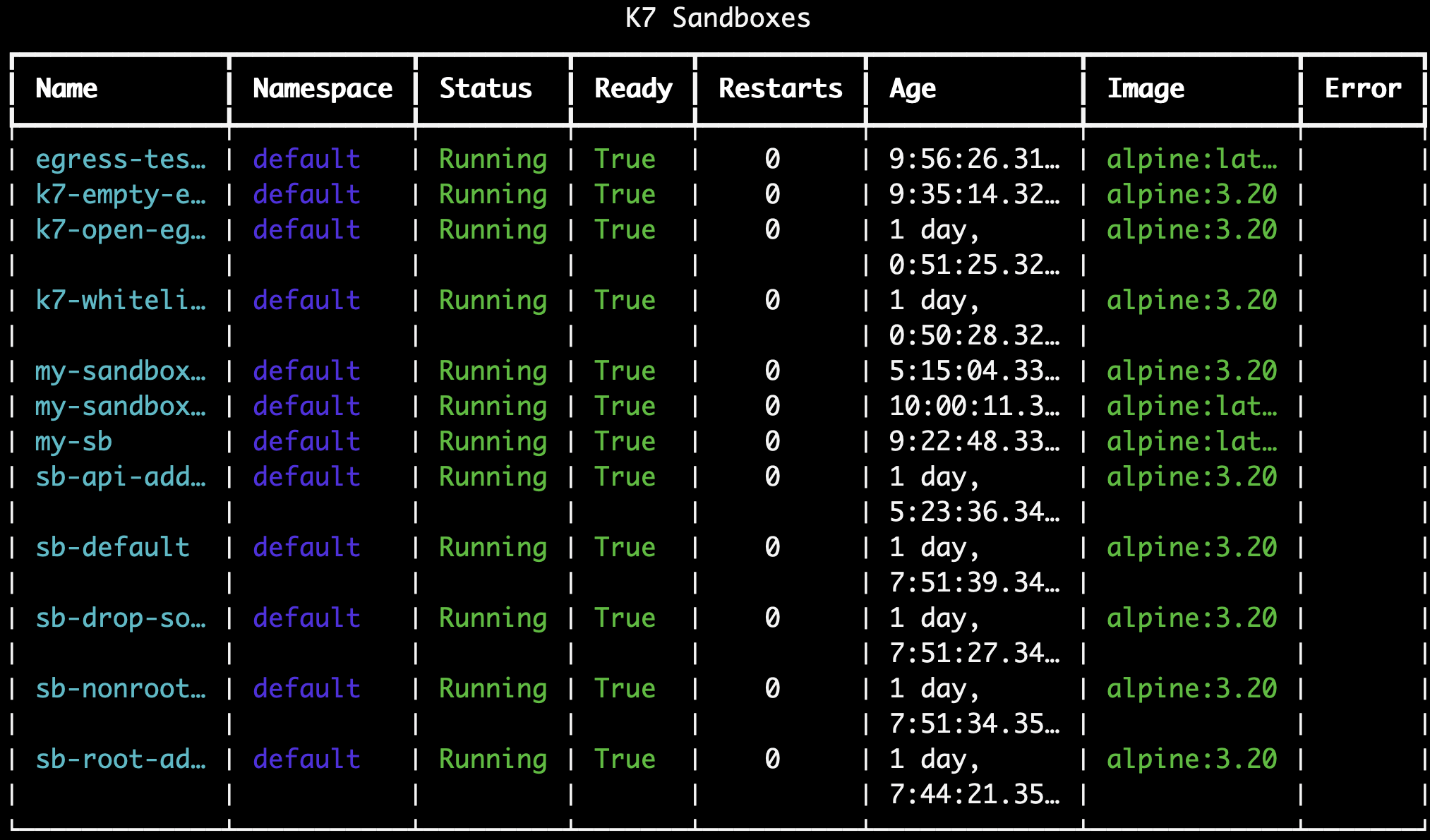
List sandboxes
Delete a sandbox
Delete all sandboxes
Prerequisites for the SDK
Create your first sandbox via Python SDK
Install the SDK on your client (laptop), not necessarily on the cluster node:python3-venv. If you run the SDK on the node: sudo apt install -y python3-venv python3-pip, then python3 -m venv ~/k7sdk && ~/k7sdk/bin/pip install k7-sdk==0.4.0. pip install --break-system-packages k7-sdk==0.4.0 also works on Ubuntu 24.04.
Use the synchronous client:
Next steps
- Explore the CLI guide
- Explore the Python SDK guide
- Run Docker inside a sandbox
- Integrate with the REST API